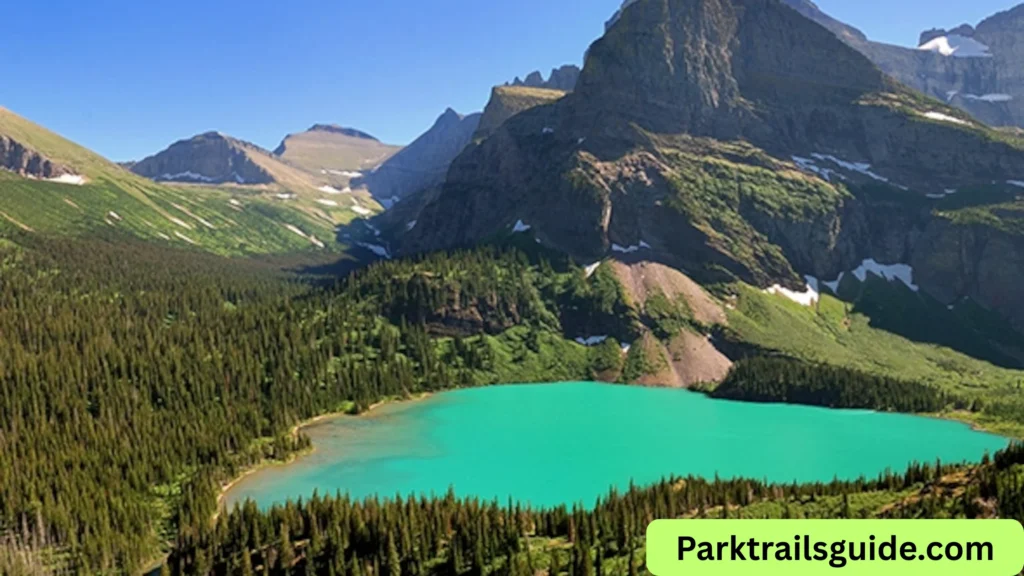
Glacier National Park Map Guide 2026: Routes & Tips
Planning a trip to Glacier National Park becomes much easier when you understand the park map. With its massive size, rugged mountains, scenic roads, and remote areas, having a clear idea of routes and locations can save you time and help you enjoy your visit fully.
This guide explains everything about the Glacier National Park map in simple terms. You will learn how the park is laid out, the main routes, important areas, and practical tips for using the map effectively in 2026.
Understanding the Glacier National Park Map
Glacier National Park is located in Montana, USA, and covers over one million acres. The park stretches along the Canadian border and connects with Waterton Lakes National Park in Canada.
When you look at a Glacier National Park map, you will notice three main sections:
- West Side (West Glacier area)
- East Side (St. Mary and Many Glacier area)
- Central Spine (Going-to-the-Sun Road)
These sections are separated by mountains, which means you cannot easily cross from one side to another except through specific roads.
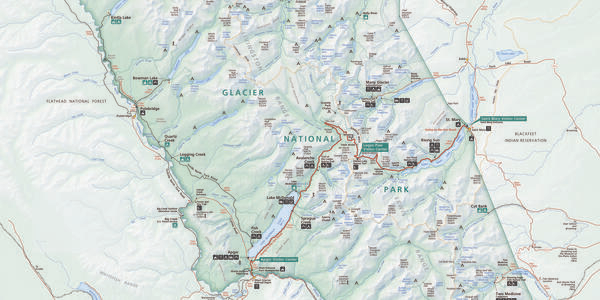
Main Roads in Glacier National Park
1. Going-to-the-Sun Road (Most Important Route)
The most famous road in the park is the Going-to-the-Sun Road. It runs east to west across the park and connects West Glacier to St. Mary.
Key points:
- Length: About 50 miles (80 km)
- Time: 2 to 3 hours without stops
- Best for: Scenic views, photography, and accessing major areas
This road is clearly marked on all Glacier maps and is the main route visitors use.
Important stops on the map:
- Lake McDonald
- Logan Pass
- St. Mary Lake
If you only have one day, this is the route you should focus on.
2. Many Glacier Road
Located on the northeast side, this road leads to one of the most beautiful areas in the park.
Highlights:
- Grinnell Glacier trails
- Swiftcurrent Lake
- Wildlife viewing
On the map, this area appears separate from the main road system, so plan extra travel time.
3. Two Medicine Road
This is a quieter area on the southeast side of the park.
Why visit:
- Less crowded
- Easy hiking trails
- Beautiful lake views
On the map, it looks like a small section, but it offers a peaceful experience.
4. North Fork Area
This remote area is located on the northwest side.
Features:
- Polebridge village
- Bowman Lake
- Kintla Lake
The roads here are mostly unpaved, which you will notice on detailed maps. It is best for adventure travelers.
Key Areas to Know on the Map
West Glacier Area
- Main entrance of the park
- Close to hotels, restaurants, and services
- Starting point for Going-to-the-Sun Road
Lake McDonald
- Largest lake in the park
- Easy to find on the map
- Popular for boating and photography
Logan Pass
- Highest point on Going-to-the-Sun Road
- Central location on the map
- Starting point for famous hikes
St. Mary
- East entrance of the park
- Visitor center and services available
Many Glacier
- Separate section on the northeast
- Known for glaciers and wildlife
Types of Maps You Should Use
1. Official Park Map
This is provided at park entrances or visitor centers. It shows:
- Roads
- Campgrounds
- Visitor centers
- Major attractions
This map is simple and easy to read.
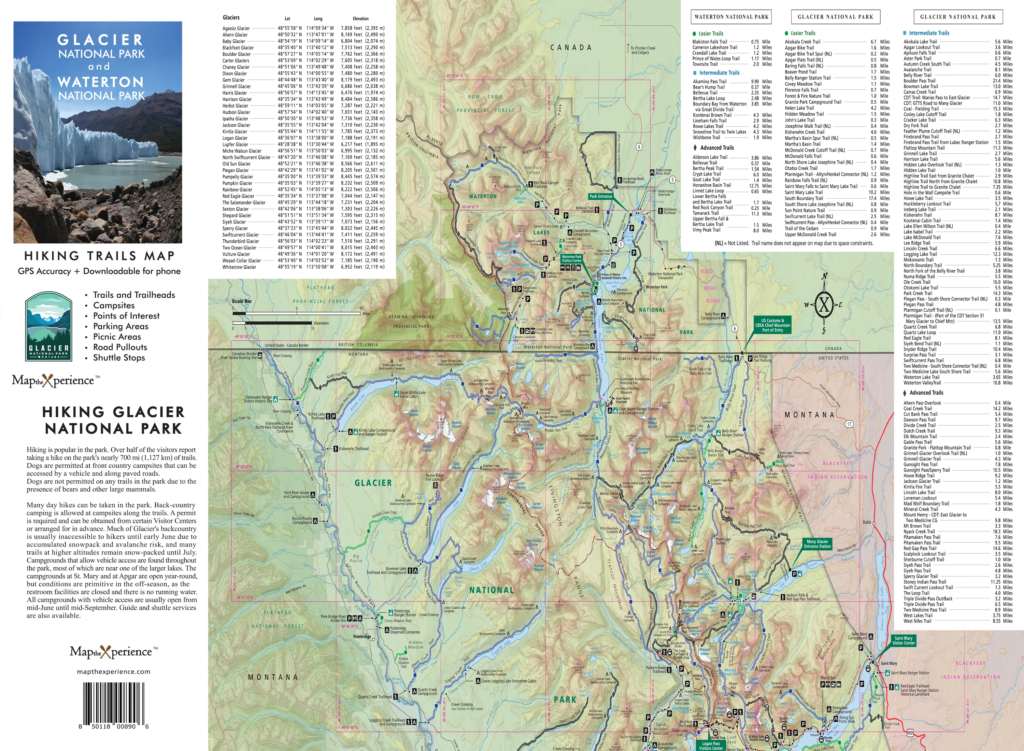
2. Trail Maps
If you plan to hike, use a detailed trail map.
These maps show:
- Hiking routes
- Elevation changes
- Trail distances
3. Digital Maps
Apps like Google Maps can help, but there is limited network coverage inside the park.
Tip: Always download offline maps before entering the park.
4. Topographic Maps
These maps are useful for experienced hikers.
They show:
- Mountain elevations
- Terrain details
- Backcountry routes
How to Read the Glacier National Park Map
If you are new to maps, here is a simple way to understand it:
- Blue areas = Lakes and rivers
- Green areas = Forests
- White or gray areas = Mountains or glaciers
- Lines = Roads and trails
Symbols are used for:
- Campgrounds
- Parking areas
- Restrooms
- Visitor centers
Always check the legend (key) on the map to understand symbols.
Best Routes Based on Your Trip Duration
One-Day Trip Route
- Enter from West Glacier
- Drive Going-to-the-Sun Road
- Stop at Lake McDonald and Logan Pass
- Exit at St. Mary
This route covers the main highlights.
Two-Day Trip Route
Day 1:
- Explore Going-to-the-Sun Road
Day 2:
- Visit Many Glacier area
This gives you a better experience of the park.
Three-Day Trip Route
Day 1: West Glacier and Lake McDonald
Day 2: Going-to-the-Sun Road and Logan Pass
Day 3: Many Glacier or Two Medicine
This allows you to explore more remote areas.
Important Tips for Using the Map
1. Plan Your Route in Advance
Distances in the park may look short on the map, but travel time is longer due to mountain roads.
2. Check Road Conditions
Some roads may be closed due to:
- Snow (especially early summer)
- Construction
- Weather conditions
3. Start Early
Parking areas fill quickly, especially near Logan Pass. Use the map to identify parking locations beforehand.
4. Carry a Physical Map
Mobile signals are weak or unavailable in many parts of the park.
5. Mark Key Stops
Before your trip, mark:
- Scenic viewpoints
- Hiking trails
- Rest areas
This helps you stay organized during your visit.
6. Understand Distances
Even though two places look close on the map, they may require a long drive due to mountain terrain.
Glacier National Park Map for Hikers
If you are planning hikes, the map becomes even more important.
Popular Trails to Locate on the Map:
- Highline Trail (Logan Pass)
- Grinnell Glacier Trail (Many Glacier)
- Avalanche Lake Trail (Lake McDonald area)
Always check:
- Trail length
- Difficulty level
- Elevation gain
Scenic Drives on the Map
Apart from Going-to-the-Sun Road, other scenic routes include:
- Many Glacier Road
- Two Medicine Road
- North Fork Road
These routes are clearly marked on most maps and offer beautiful views with fewer crowds.
Entry Points on the Map
The park has several entrances:
- West Glacier Entrance
- St. Mary Entrance
- Many Glacier Entrance
- Two Medicine Entrance
Each entrance leads to different sections, so choose based on your itinerary.
Parking and Shuttle Information
Parking areas are marked on the map, especially along Going-to-the-Sun Road.
During peak season:
- Parking fills early
- Shuttle services are available
Shuttle stops are also shown on official maps.
Common Mistakes to Avoid
- Relying only on mobile maps
- Underestimating travel time
- Not checking road closures
- Skipping less crowded areas like Two Medicine
Best Time to Use the Map
The map is useful all year, but conditions change:
- Summer (June–September): Full access to roads
- Spring/Fall: Some roads may be closed
- Winter: Limited access
Always use the latest version of the map for 2026.
Final Thoughts
A Glacier National Park map is more than just a guide—it is your key to exploring one of the most beautiful parks in the United States.
By understanding the layout, main routes, and important areas, you can plan your trip better and avoid confusion. Whether you are driving, hiking, or exploring remote areas, using the map wisely will make your experience smooth and enjoyable.
Take time to study the map before your trip, mark your route, and stay flexible. Glacier National Park is vast, and every section offers something unique.
Read Also: Where to Stay in Glacier National Park: 2026 Guide